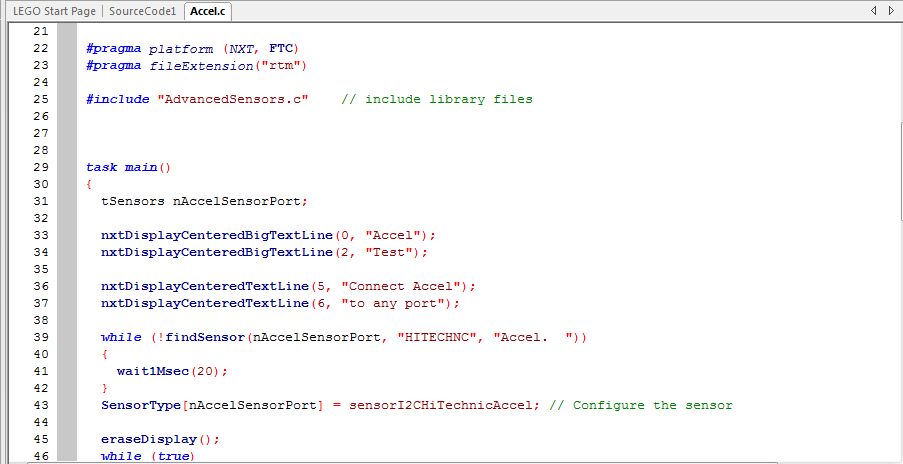
ROBOTC is an Integrated Development Environment. This means that it is a program that is designed to help the user (you) write other programs. In particular, ROBOTC extends the ‘C’ programming language with a large number of built-in variables and functions to provide control over a robot’s hardware devices, primarily its motors and sensors.
The ROBOTC interface changes depending on which kind of robot controller you have selected so that it can adapt to the specific needs and quirks of the platform. ROBOTC has been developed to provide as much support as possible for programming robots in all of the platforms it is compatible with.
There are three main sections to the ROBOTC IDE:
Editor:
This is the part of the interface where the user can write code.
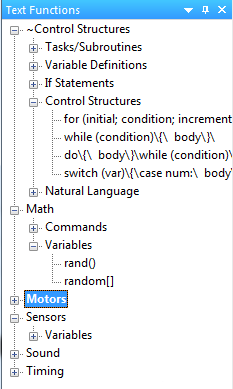
Code Templates / Function Library:
This portion of the interface allows user to see all the functions available in ROBOTC at their user level. Portions of code from the "Function Library" can be dragged into the Editor. More information on the Function
This area allows you to perform basic tasks (saving, copy & pasting, undo, etc.), switch between multiple open programs using the tabbed interface, and access all of ROBOTC's additional functionality through the various menus.
ROBOTC has three toolbar options:
Big Icon Toolbar:
This is the default toolbar for ROBOTC, and offers a selection of easy to see quick commands.

Small Icon Toolbar:
This toolbar has more options on it, but is, of course, somewhat smaller and more difficult to use.

Both Toolbars at the same time:
You can, if you want, use the View menu to show both toolbars at the same time.
