The Function Library panel is an extremely useful tool in ROBOTC. The Function Library is dynamic; if you change the Menu Level settings, enable/disable Natural Language Mode, or change platform types, the Function Library will shrink or expand to match the commands available with your new settings. Note, however, that you may need to recompile your program in order for the Function Library to refresh itself.
The Function Library provides three main features:
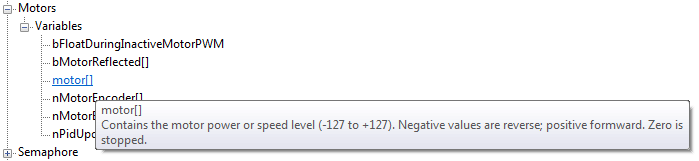
1) The Function Library panel provides a listing of all the platform-specific functions available in ROBOTC at your user level, along with any compiled user-defined functions. The functions are categorized by type to make it easier to find a specific function (for example: the motor commands and variables are found under the 'Motors' submenu).
2) Items from the panel can be dragged and dropped into programs. This helps eliminate the need for remembering every specific command in ROBOTC and instead gives a users access to every possible command and function in ROBOTC with just a few clicks, depending on which menu level is set (Super User has access to all functions).
3) If the mouse is hovered over an item, a 'tool-tip' popup will display a brief description of the item. Again, this helps eliminate the need to memorize every aspect of ROBOTC and instead allows users to focus on the actual program flow and logic.