Direction of Turn
Using the turnRight command block makes the robot turn to the right, in place. What happens if you use the turnLeft command instead? Try it!
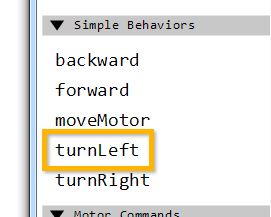
| The robot turns in place to the left! |
Units of Turn
What happens if you switch the second box of the turnLeft or turnRight command from Rotations to Degrees? Try it!
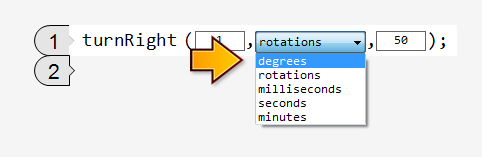
| The robot barely moves when it’s set to move 1 Degree! There are 360 degrees in one rotation of the motor, so it barely moves. |
|
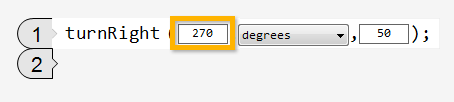
The motors turn ¾ of a rotation, making the robot turn much further.
Using degrees as your units gives you greater control over the robots turns! |
Mini Challenge 1: 90 Degree Turn Challenge
Program your robot to turn exactly 90 degrees to its right!
|
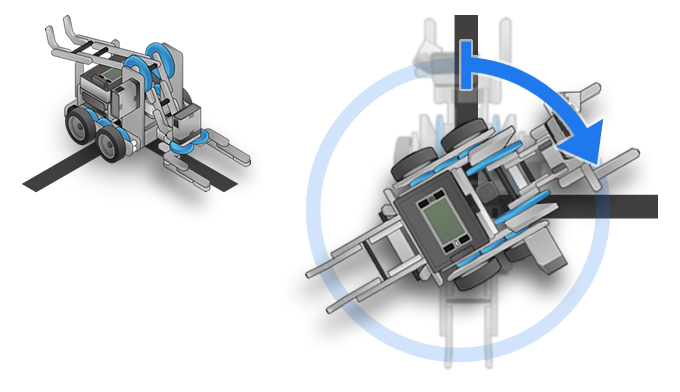
Change the amount your robot turns by changing the number of Rotations it is programmed to go.
Measure how far your robot turned with its 1 rotation program, and see if you can use that information to reason about how many rotations is should take to turn 90 degrees instead!
Did you notice?
Wheels and Turning|
All your robot's movement is based on the way in which its two motors move.
The motion you get is determined by using different combinations of powers on those motors. |
|
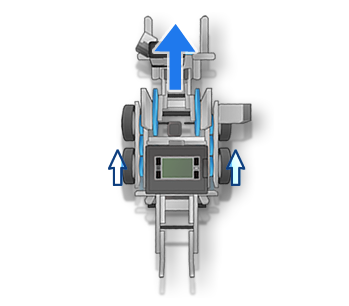 |
If both motors go forward, the robot moves straight forward. |
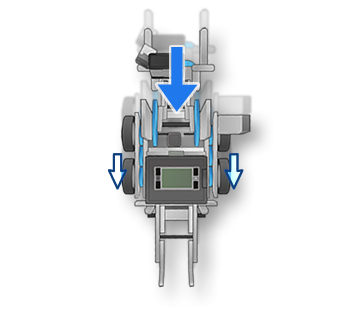 |
If both motors run backward, the robot moves straight backward. |
If they run in opposite directions, they robot spins in place.
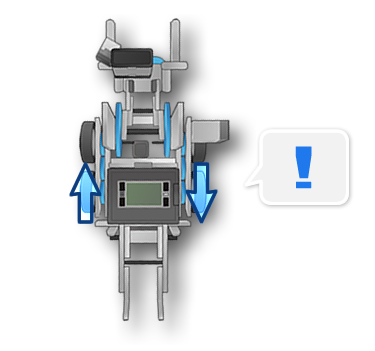
|
|
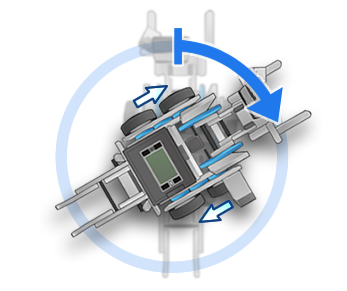 |
If the left side moves forward while the right moves back, the robot spins to the right. |
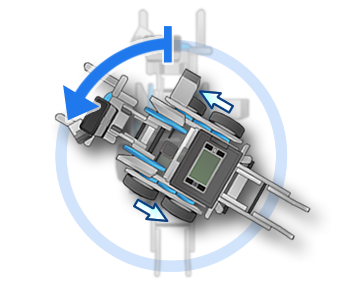 |
If the right side moves forward while the left moves back, the robot spins to the left. |
